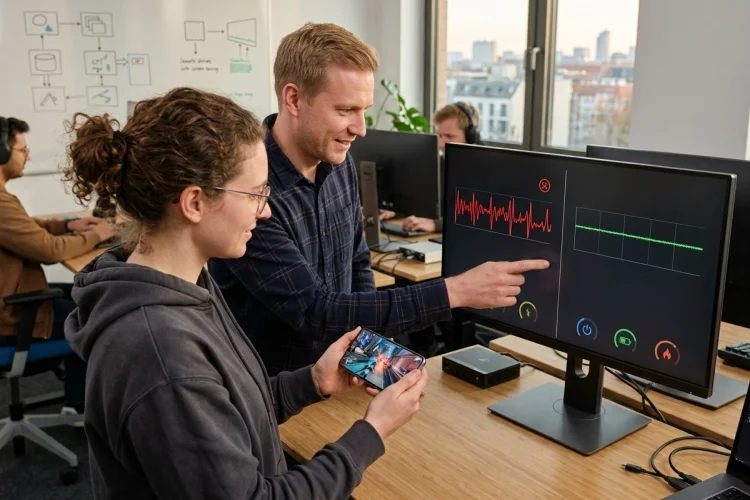
A 120 Hz display does not automatically mean your Android game should run at 120 FPS all the time. Doing so can dramatically increase GPU workload, battery consumption, and heat while providing limited benefit during menus or slow gameplay.
The real advantage appears when developers understand How Variable Refresh Rate can support smarter frame targets.
Instead of locking an entire session to one performance level, games can balance responsiveness and efficiency around gameplay conditions.
Combined with Android’s frame-rate APIs, adaptive refresh behavior, and proper frame pacing, this creates a much more flexible rendering strategy.
Stop Treating Maximum Refresh as the Target
High-refresh displays encourage a simple assumption: if the phone supports 120 Hz, target 120 FPS.
That strategy can waste resources.
Android’s optimization guidance warns that higher refresh rates consume additional power and generate more heat. It recommends monitoring actual game performance and using lower targets when a game cannot consistently deliver the requested high frame rate.
Consider a cinematic adventure game.
Fast combat might feel noticeably better at 90 or 120 FPS, while inventory screens, dialogue scenes, and static maps receive little benefit from rendering that quickly.
A flexible frame strategy lets teams spend performance where players can actually perceive it.
The goal is not maximum display activity. It is the right amount of display activity.
Create Several Sustainable FPS Targets
Variable-refresh hardware works best when games understand more than one performance target.
Instead of supporting only 30 and 60 FPS, a modern Android title might consider 30, 40, 45, 60, 90, and 120 depending on hardware support and game workload.
Android’s Game Mode FPS throttling documentation recommends frame rates that divide naturally into a display’s maximum refresh rate. A 120 Hz display works cleanly with 120, 60, 40, and 30 FPS, while a 90 Hz panel maps naturally to 90, 45, and 30 FPS.
This gives game designers useful intermediate options.
Suppose your action game runs at 60 FPS comfortably until a large open-world region pushes GPU demand higher.
Dropping all the way to 30 FPS may feel dramatic.
A stable 40 FPS on a compatible 120 Hz display provides a 25 ms frame interval-significantly smoother than the 33.3 ms interval of 30 FPS.
Alternative targets can preserve perceived quality when full performance is unsustainable.
Dynamic Refresh Can Save Battery
Rendering unnecessary frames costs power.
If your game produces 60 FPS while the display updates at 120 Hz, the screen effectively refreshes twice for every unique game frame.
Android’s Frame Pacing documentation identifies this mismatch as inefficient and notes that proper pacing can improve battery life by avoiding unnecessary display updates.
Adaptive refresh technologies extend that idea.
Android 15’s ARR support allows compatible displays to change refresh cadence based on content updates using discrete VSync steps.
The AOSP documentation lists reduced power consumption as a major benefit because displays can operate below their maximum refresh rate when high refresh is not required.
For mobile products, this changes optimization priorities.
Battery efficiency is not separate from rendering architecture anymore. Refresh strategy itself becomes part of power optimization.
Thermal Pressure Should Influence Frame Strategy
Battery consumption is only one side of the issue.
High GPU workload also produces heat.
A device that runs your game at 120 FPS for five minutes may not sustain that workload for a 45-minute session. Eventually, thermal management can reduce CPU or GPU frequencies and create uneven frame delivery.
Android explicitly notes that frame-rate requests may be overridden because of device temperature or battery conditions.
That means a smart game should measure real performance rather than assuming the requested refresh level is always available.
If frame times begin deteriorating consistently, dropping from 120 to 60 FPS can actually improve the experience.
The GPU receives roughly twice as much time per frame, workload decreases, and thermal pressure can stabilise.
An adaptive strategy protects long-session smoothness instead of chasing impressive first-minute numbers.
Avoid Changing Frame Rate Too Aggressively
Dynamic does not mean constantly changing.
Switching between 60, 90, and 120 FPS every few seconds can create its own problems. Android warns against making setFrameRate() calls every frame or multiple times per second because refresh transitions themselves may result in dropped frames.
Use hysteresis and stable states.
For example, do not immediately drop from 120 FPS because three frames were expensive. Wait until sustained performance shows the target is no longer practical.
Likewise, do not immediately climb back to 120 after one light scene.
Require enough performance headroom over several seconds before raising the target.
This prevents the frame controller from behaving like a nervous thermostat.
Players should barely notice quality transitions.
Remember That Refresh Requests Can Be Rejected
Game engines should never build timing assumptions around successful refresh requests.
The Android scheduler considers multiple factors when selecting display behavior, and setFrameRate() does not guarantee that the requested rate will be used. Battery Saver, competing surfaces, system policies, and other conditions can affect the final choice.
Your game loop should therefore operate correctly if a requested 90 Hz mode becomes 60 Hz.
Gameplay simulation should be decoupled enough from rendering that changes in display cadence do not alter physics speed, animation logic, or networking.
This sounds obvious, but tightly coupled legacy rendering systems can expose strange bugs when refresh conditions change.
Test frame-rate transitions during gameplay rather than only selecting them during startup.
Runtime behavior is where the difficult bugs appear.
Use Frame Pacing to Control Presentation
Generating frames quickly is not enough. They must arrive at regular visual intervals.
Android’s Frame Pacing library uses Choreographer synchronization, presentation timestamps, and sync fences to coordinate frame delivery and avoid buffer stuffing.
It also handles multiple refresh rates.
Android gives the example of a device supporting both 60 and 90 Hz. If a game cannot reliably produce 60 FPS, the pacing system can use 45 FPS instead of immediately falling to 30 FPS.
For custom engines, Swappy supports OpenGL and Vulkan.
For developers requiring lower-level Vulkan timing control, Android supports VK_GOOGLE_display_timing, while Android 17 introduces the standardized VK_EXT_present_timing extension for supported devices.
Whatever implementation you choose, presentation stability should be treated as a first-class rendering requirement.
Give Players Performance Choices
Automatic behavior should not remove player control.
One player may prioritize battery life during a commute. Another may be connected to power and want maximum competitive responsivness.
Android’s current refresh-rate guidance recommends providing FPS options based on the maximum refresh rate supported by the device. It also recommends avoiding unsupported choices, such as showing 120 FPS on a 60 Hz-only display.
A practical graphics menu could offer Battery Saver, Balanced, 60 FPS, and High Refresh modes depending on hardware.
Underneath those settings, the game can still dynamically manage quality to preserve the requested performance class.
This creates a useful contract with the player.
They choose their priority; your rendering system figures out how to deliver it sustainably.
Test 60, 90, and 120 Hz as Different Environments
High-refresh QA requires more than checking whether the game launches.
Test pacing under native 60 Hz, 90 Hz, and 120 Hz conditions where available. Include intermediate targets such as 40 or 45 FPS on compatible displays.
Then test what happens when the device changes behavior because of battery saving or temperatue.
Android’s Slow Sessions documentation specifically identifies mismatches between game frame rate and display refresh rate as one potential source of poor presentation, alongside CPU/GPU bottlenecks and thermal throttling.
Capture Perfetto traces and frame-time distributions instead of relying only on an FPS counter.
A stable 60 can outperform an unstable 90 in perceived smoothness.
That is the principle your testing should prove.
Variable refresh behavior gives Android games more performance choices, but it also makes simplistic fixed-FPS strategies less effective. Sustainable frame targets, clean divisors, pacing, thermal awareness, and player preferences all matter.
Test your game across multiple refresh environments and identify where intermediate FPS targets produce a smoother result. A flexible frame-delivery system can improve responsiveness while reducing unnecessary battery and GPU cost.