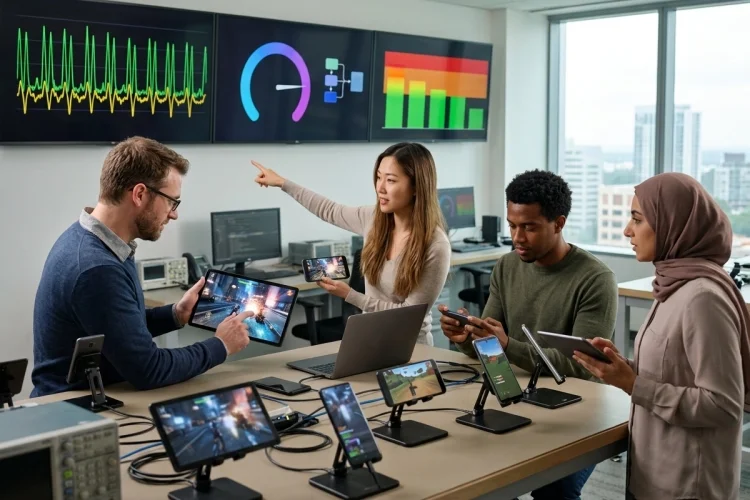
A device that runs your Android game beautifully for the first three minutes may struggle after 20. Another phone with impressive RAM numbers may still have a GPU that cannot sustain your highest graphics preset.
That is why GPU and Memory Capability Tiers should be treated as starting points rather than permanent labels.
Modern Android games benefit from combining hardware classification with runtime observations such as frame time, memory pressure, and thermal headroom.
The result is an adaptive system that chooses an appropriate initial experience and keeps adjusting when real-world device conditions change.
Static Hardware Tiers Are Only the First Layer
Device specifications are useful because they provide a sensible initial configuration before gameplay begins.
Android’s launch guidance suggests dividing devices according to hardware characteristics such as RAM and GPU, with example ranges covering low-end, mid-range, high-end, and premium hardware.
But identical-looking specifications can behave differently in practice.
Cooling systems vary. Manufacturers use different power limits. Display resolutions differ. Background applications consume memory. Ambient temperature can change sustained performance.
Therefore, a Tier 3 device should not be guaranteed “Ultra” graphics forever.
A better model is:
Hardware Tier → Initial Quality → Runtime Measurement → Adaptive Adjustment
That final step makes the system much more resilient.
Detect Memory Reality Instead of Trusting Marketing RAM
A phone advertised with 8 GB of RAM does not mean your game has 8 GB available.
Android shares memory across system services, background processes, graphics resources, caches, and applications. Android’s documentation recommends using runtime memory information rather than treating physical capacity as an app-specific budget.
For telemetry, Android vitals specifically recommends using ActivityManager.MemoryInfo.totalMem when associating total usable device memory with a device profile.
The game should then monitor its own behavior.
Track peak resident memory, large allocations, scene transitions, texture streaming, and situations where the process returns from the background.
This matters because excessive background memory can increase the likelihood that Android’s Low Memory Killer terminates the game when the player temporarily switches apps.
A cold restart after answering a message is a performance problem players will definately notice.
Use Quality Tiers as Bundles of Independent Controls
An adaptive game still benefits from Low, Medium, High, and Ultra presets, but those presets should be bundles rather than locked configurations.
For example, Medium might initially mean 75% render scale, medium shadows, medium particles, 2048 texture limits, and reduced reflection detail.
If frame time becomes GPU-bound, the game can lower render resolution before changing texture quality.
If memory pressure rises, texture pools or cached assets may be reduced while preserving rendering resolution.
Android Performance Tuner is designed around this idea. It lets teams define fidelity parameters and quality levels, then correlate performance problems with device models, specifications, scenes, and individual settings.
This provides far more control than simply switching the whole game from “High” to “Low.”
Separate GPU Pressure From Memory Pressure
Performance problems that look similar to players can have very different causes.
A scene running at 24 FPS might be GPU-bound because of expensive shadows and overdraw. Another scene might hitch because assets are being allocated, decompressed, or evicted under memory pressure.
Treating both problems with the same quality adjustment wastes visual quality.
Android offers tools such as Android GPU Inspector, Perfetto, memory profiling tools, and Android Performance Tuner to isolate different bottlenecks.
The GPU tier should primarily control rendering workload.
The memory tier should influence texture pools, loaded scene data, cache sizes, audio residency, animation resources, and streaming behavior.
They can interact, of course. Higher-resolution textures affect graphics memory and overall RAM pressure.
But keeping their control logic conceptually seperate makes optimization easier to reason about.
Thermal Conditions Can Temporarily Change a Device Tier
A flagship phone does not remain at peak performance indefinitely.
Android’s Dynamic Performance Framework provides thermal APIs that allow games to monitor thermal state and headroom, then reduce workload before severe throttling occurs.
Android notes that sustained device performance depends on thermal conditions and that games can react by lowering frame rate, fidelity, or other workloads.
This creates an important concept: temporary capability tiers.
A premium device may begin a session at Tier 3. After prolonged gameplay under high ambient temperatures, your runtime controller might behave more like Tier 2 until thermal headroom recovers.
Android’s ADPF best practices recommend granular adjustments to resolution, shadows, particles, effects, or view distance rather than drastic preset switching.
The player sees smoother adaptation instead of sudden visual collapse.
Prioritize Sustainable Frame Rate
Peak benchmark numbers can be tempting.
If a device produces 90 FPS during the opening scene, developers may classify it as high-end and enable expensive effects. Fifteen minutes later, heat builds, clocks drop, and frame pacing deteriorates.
Capability testing should therefore include sustained workloads.
Android specifically recommends testing thermal response across high-end, mid-range, and low-end devices and performing extended gameplay tests-15 minutes or longer-to understand sustainable behavior.
Measure percentile frame times rather than only average FPS.
A game averaging 60 FPS while frequently jumping to long 40–50 ms frames can feel worse than a stable 45 or 30 FPS presentation.
Tiering should protect smoothness first and use remaining GPU headroom for fidelity.
Let Real Player Devices Correct Your Assumptions
Lab testing cannot represent the entire Android ecosystem.
Android Performance Tuner measures real frame-rate and loading performance across user devices, then breaks problems down by quality level, device model, specifications, and in-game annotations.
This makes post-launch tier refinement possible.
Suppose devices assigned to Medium repeatedly maintain your 60 FPS target with substantial margin. You may be leaving visual quality unused.
Conversely, if one GPU family consistently produces slow sessions on High, it might need a lower default even though its theoretical specifications look competitive.
The tier database should therefore be versioned and updated from production evidence.
Hardware classification becomes a live product system rather than a one-time engineering spreadsheet.
Keep Manual Graphics Controls Available
Automatic adaptation is useful, but players still have preferences.
One user may accept 30 FPS for maximum visual fidelity. Another may prefer the lowest graphics settings to preserve battery life and minimize therml output.
Android’s ADPF guidance recommends providing user control when implementing dynamic performance adjustment, including a clearly explained option for automatic scaling.
A practical graphics menu can expose presets while keeping advanced options optional.
Let users choose performance priorities such as Quality, Balanced, or Performance. Then apply adaptive behavior inside sensible boundaries.
Automatic systems work best when they assist players rather than constantly overriding explicit choices.
Test the Boundaries, Not Just the Middle
Teams often test a representative mid-range phone and a premium flagship.
The more dangerous devices are usually those sitting near tier boundaries.
If Tier 2 starts at 4 GB of RAM, test a constrained 4 GB phone rather than only 6 GB and 8 GB models. If a GPU family contains multiple frequency configurations, test slower variants.
Google’s Android launch guidance specifically recommends prioritizing weaker devices inside each target category because they expose performance problems sooner.
Also test loading transitions, multitasking recovery, thermal soak, demanding combat scenes, and memory-heavy areas.
Capability tiers are succesful only when their worst supported devices still deliver the experience promised by that tier.
GPU and Memory Capability Tiers work best when they establish an initial quality baseline and then let runtime data refine it. Memory availability, GPU load, frame pacing, and thermal conditions can all change what a device can sustainably deliver.
Build tiers from representative hardware, add granular adaptive controls, and validate them with real-player telemetry. That approach turns Android fragmentation into a manageable optimization system rather than a permanent guessing game.